 ShelfSense
Know what's in your kitchen. Waste less of it.
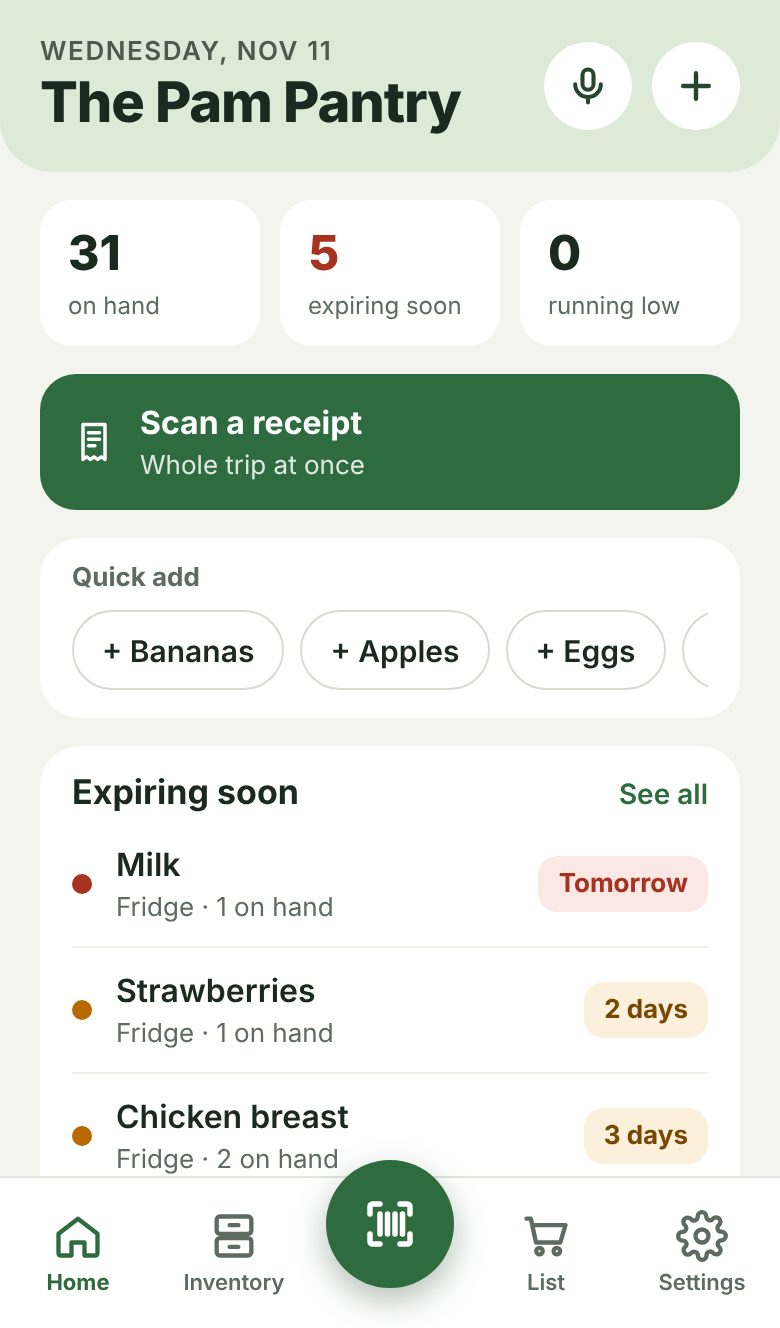
ShelfSense keeps track of your pantry, fridge and freezer. Scan a barcode or snap your receipt, and it tells you what's expiring, what to cook, and what to buy.
Opens right in your phone's browser. On iPhone, tap Share › Add to Home Screen to keep it like an app. Coming to the App Store and Google Play.
Three habits, a few seconds each.
Put groceries away
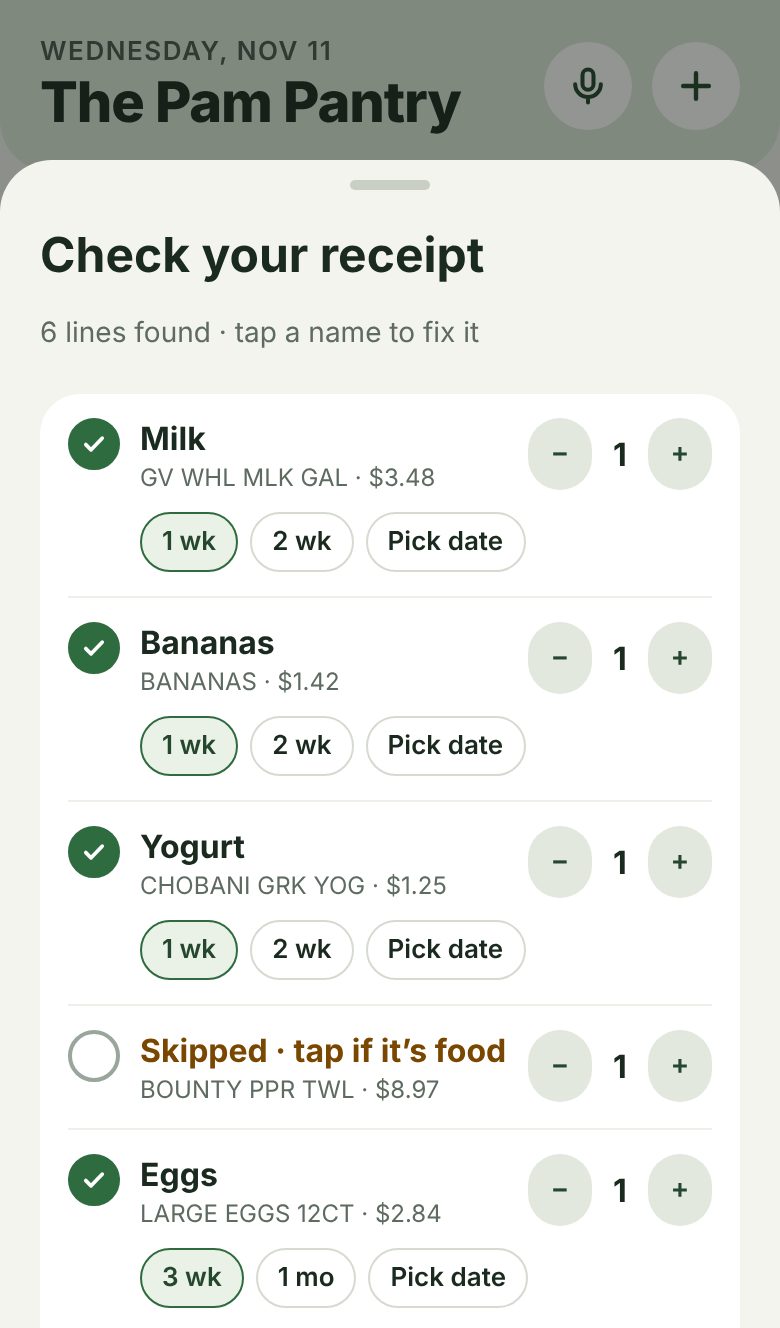
Scan each barcode with your phone, or take one photo of the receipt and the whole trip goes in. ShelfSense guesses the best-by date and where it goes.
Use things up
Scan it out, tap it, or just say "I used two eggs." Tell it when something got tossed, so your waste score is honest.
Shop with a list that writes itself
When something runs low it lands on your shopping list. Check things off at the store, then scan the receipt to put it all away.
Everything your kitchen needs, nothing it doesn't.
Reads your receipts
Paper receipts or screenshots from store and delivery apps. Read on your phone, never uploaded.
Expiring soon
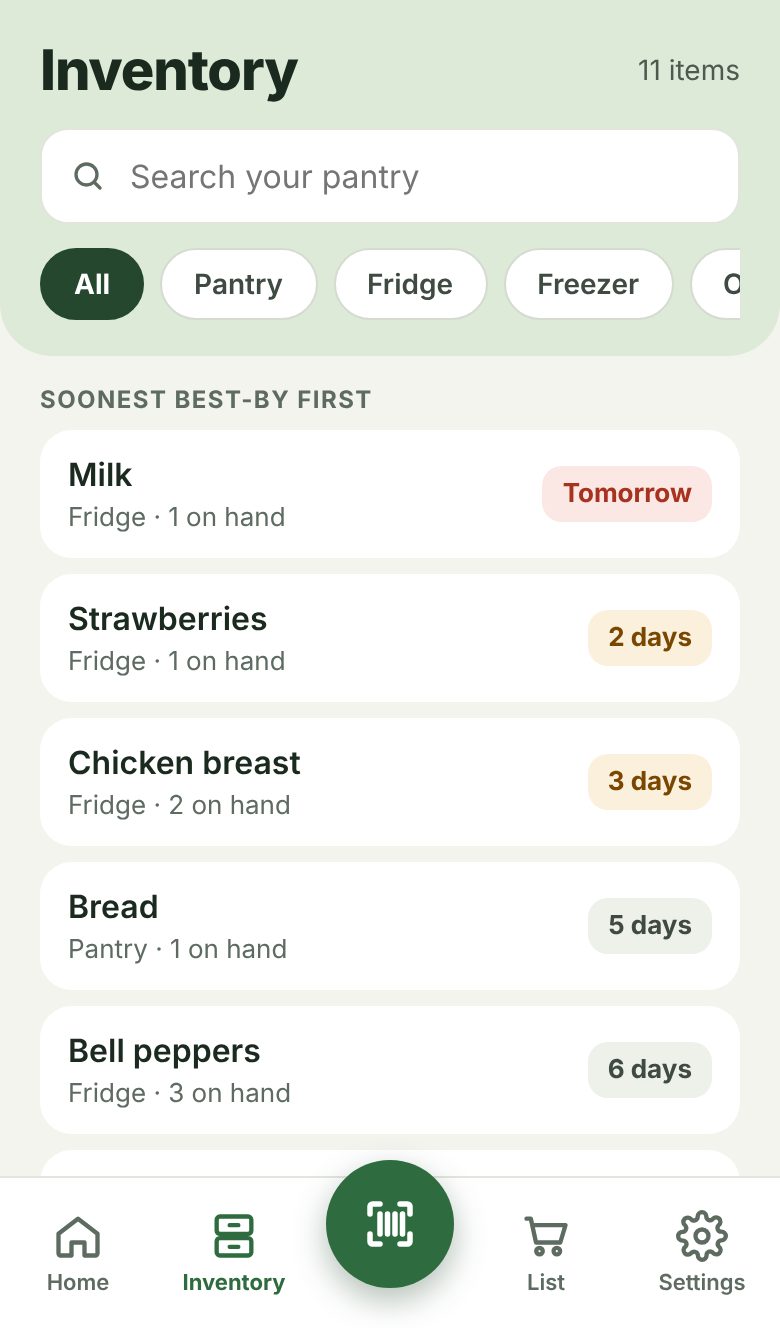
See what to use first, with best-by guesses that learn from the dates you set.
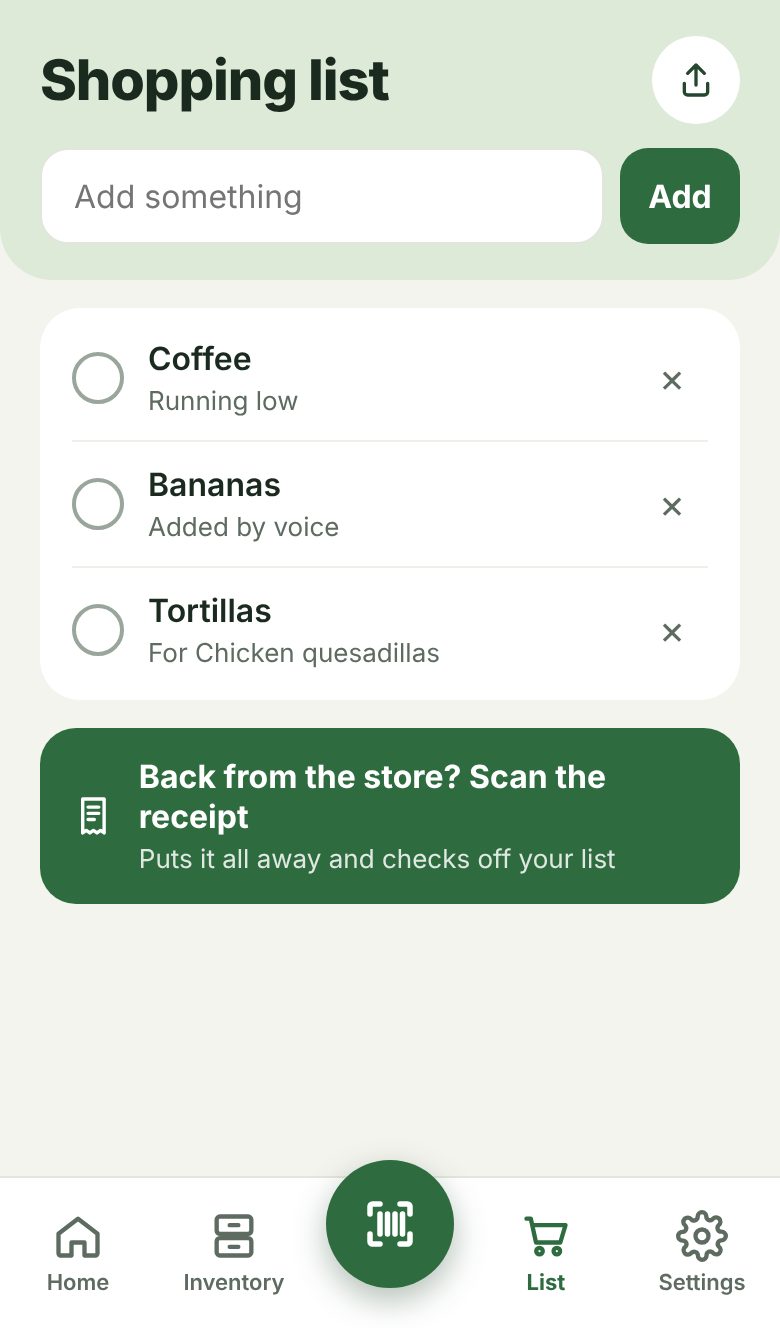
A list that writes itself
Running low or ran out? It's on the list. Share it with a tap.
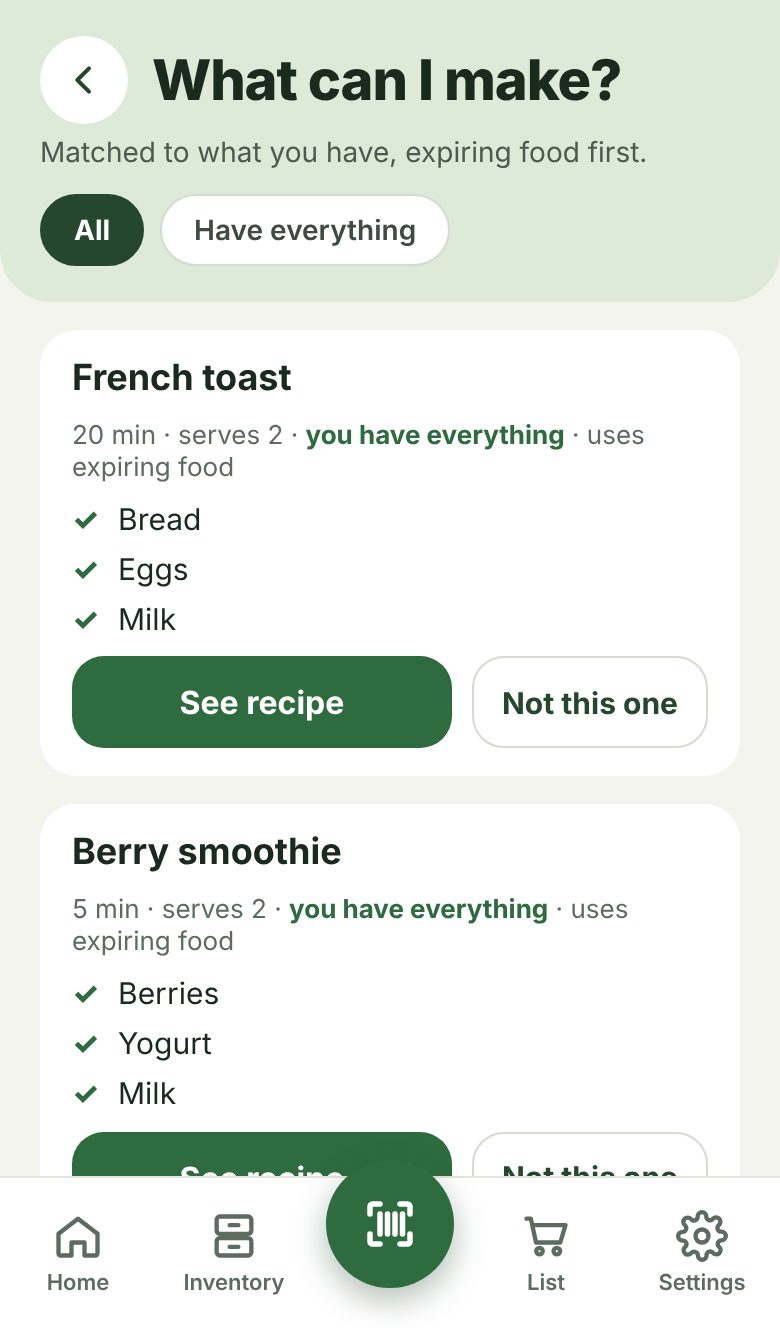
Recipes from what you have
78 everyday recipes matched to your pantry, with the expiring food first.
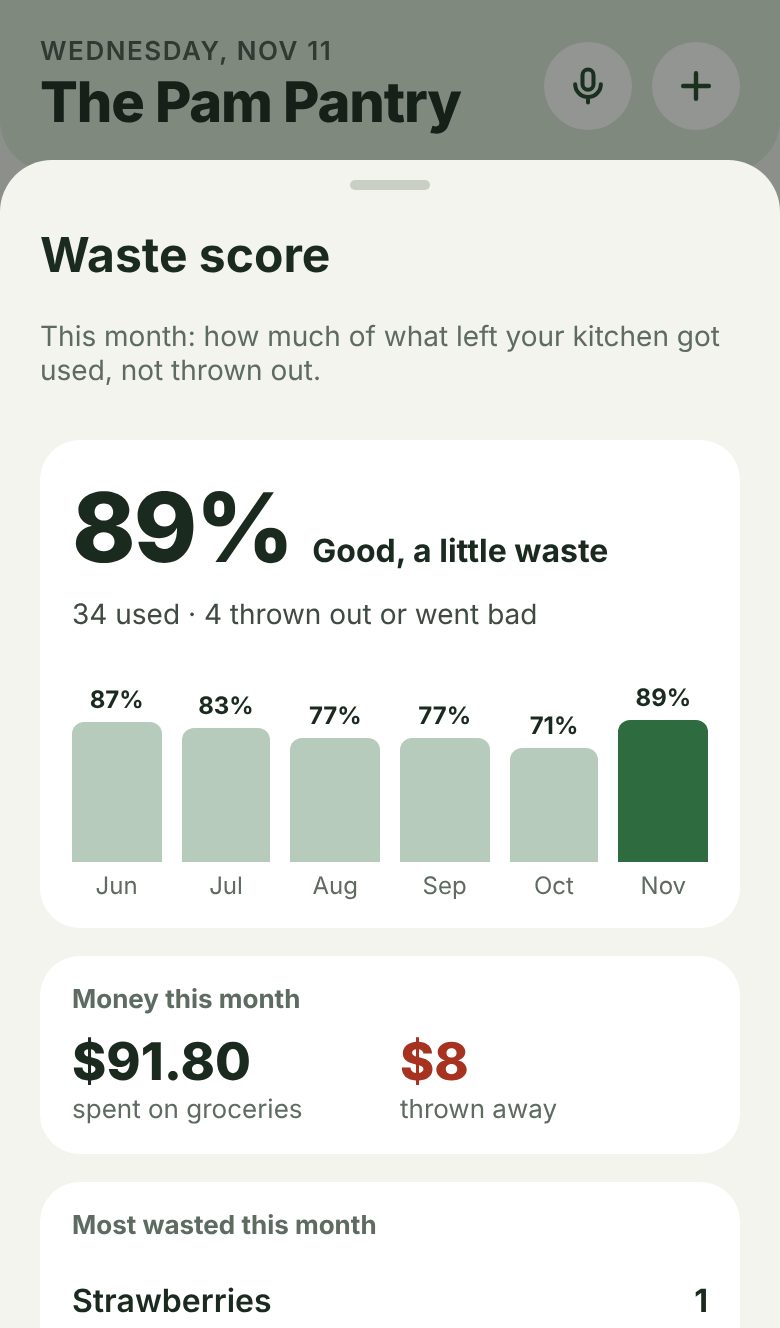
Waste score
How much of your food got used, month by month, and what keeps going bad.
The whole household
One pantry and one list on everyone's phone, synced in seconds. Up to 6 people.
Talk to it
"Add milk to the list." "We're out of bread." "I threw out the spinach."
Prices and calories
Optional. See what you spend, what waste costs you, and calories used.
Try everything free for 7 days.
One plan covers your whole household. Cancel anytime in your phone's settings.
- Every feature, on every phone in the house
- The yearly plan saves 58%
- For big families and shared homes
- Everything in Household
Phones and the ShelfSense Home wall unit each count as one. Subscriptions are billed through Apple or Google.
A dedicated smart hub for your kitchen.
The scanner, your analytics and your whole inventory in one place on the pantry wall. Unpack, hold up each item, hear the beep, done. No phone to unlock, no app to open.
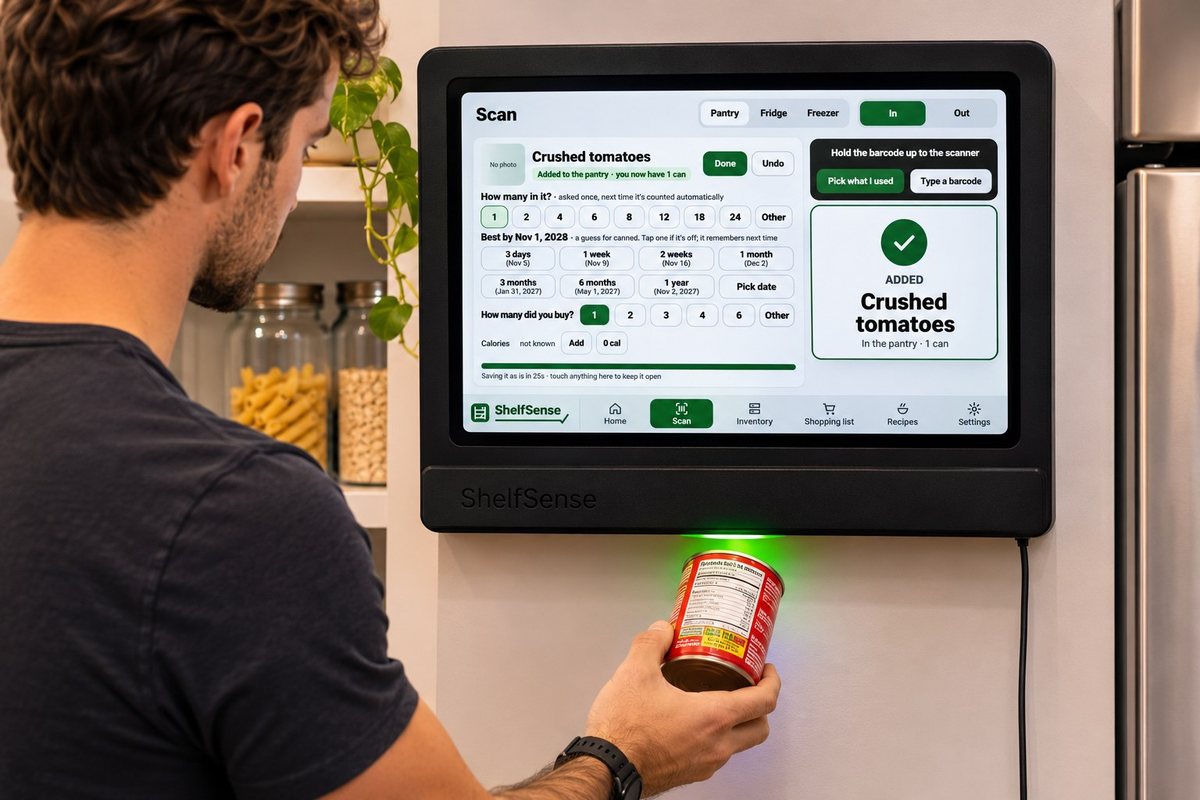
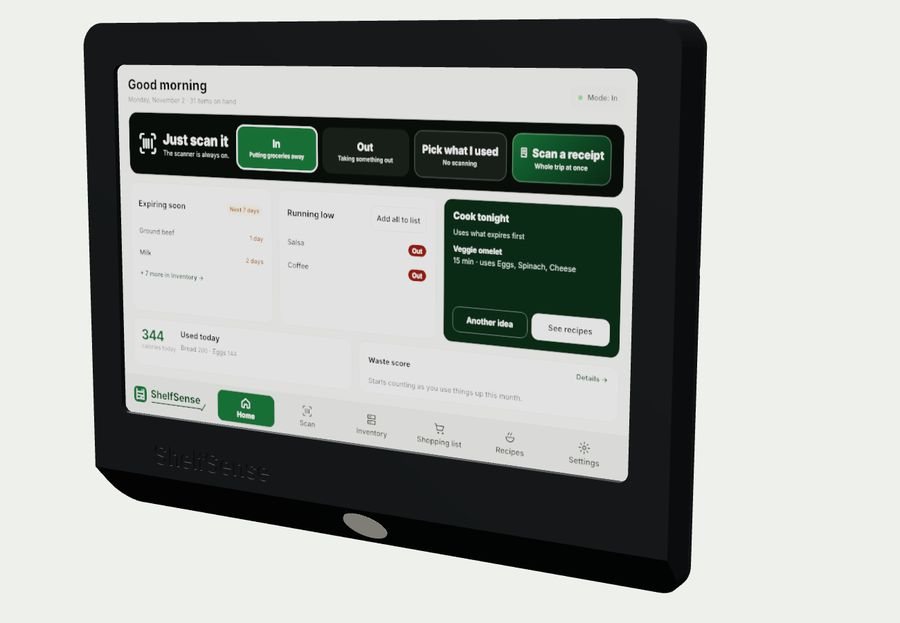
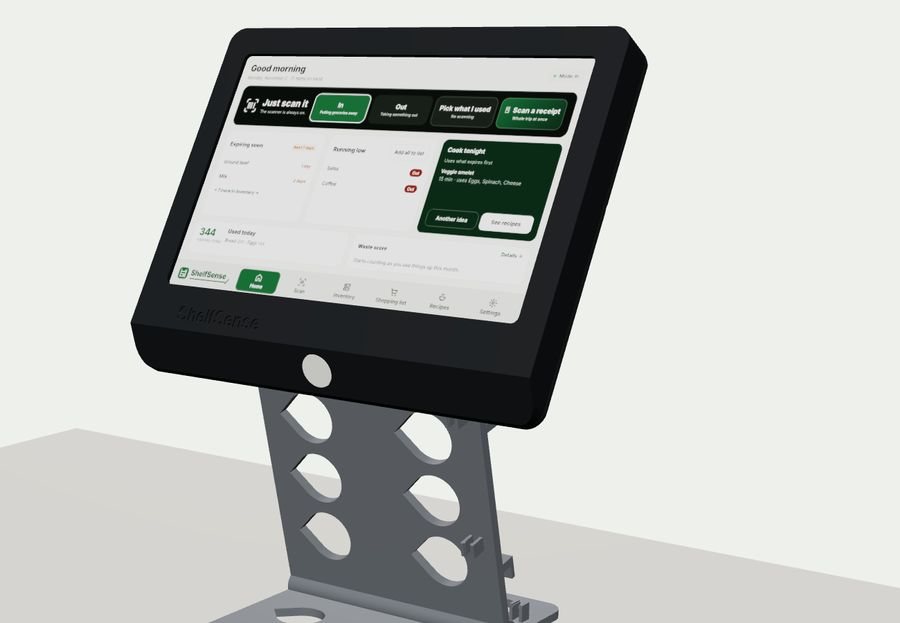
Prototype renders and concept image
- ✓Built for the flow of a kitchenIt's always on and always ready. Groceries go in as you unpack; things come out as you cook.
- ✓Reads your receiptsHold up the receipt and the whole trip goes in at once.
- ✓See it every time you open the pantryExpiring, running low and what to cook, on a 10-inch screen.
- ✓Talk to it"Add milk to the list." Hands full? Just say it.
- ✓Syncs with every phone in the houseScan on the wall and it's on everyone's list right away.
- ✓Wall or counterMounts on a pantry wall or door, or sits on its stand.
Good to know
Do I need the wall unit?
No. The app does everything on its own: scanning with your phone's camera, receipts, recipes, the shopping list and household sharing. ShelfSense Home is an optional extra for people who want a scanner station in the pantry.
Which phones does it work on?
iPhone and Android. It's coming to the App Store first, then Google Play.
How does household sharing work?
Start a household in Settings and share the invite code. Everyone who joins sees the same pantry and shopping list, updated within seconds. One plan covers up to 6 people (or 12 with Big household).
What happens after the free trial?
You choose a plan: $3.99 a month or $20 a year for a household. If you don't subscribe, the app locks, but your pantry stays saved for when you come back.
Is my data private?
Your pantry lives on your phone. If you share a household, it's stored with Google Firebase so your household can see it, under a random ID rather than your name. Receipt photos are read on your phone and never uploaded. No ads, no tracking, and we never sell your information. Read the privacy policy.
Does it work offline?
Yes. Everything works without internet; looking up a brand-new barcode and syncing with your household need a connection.
How accurate are the expiration dates?
They're best guesses based on the type of food, and they learn from the dates you set. Always check the package before eating something.